-
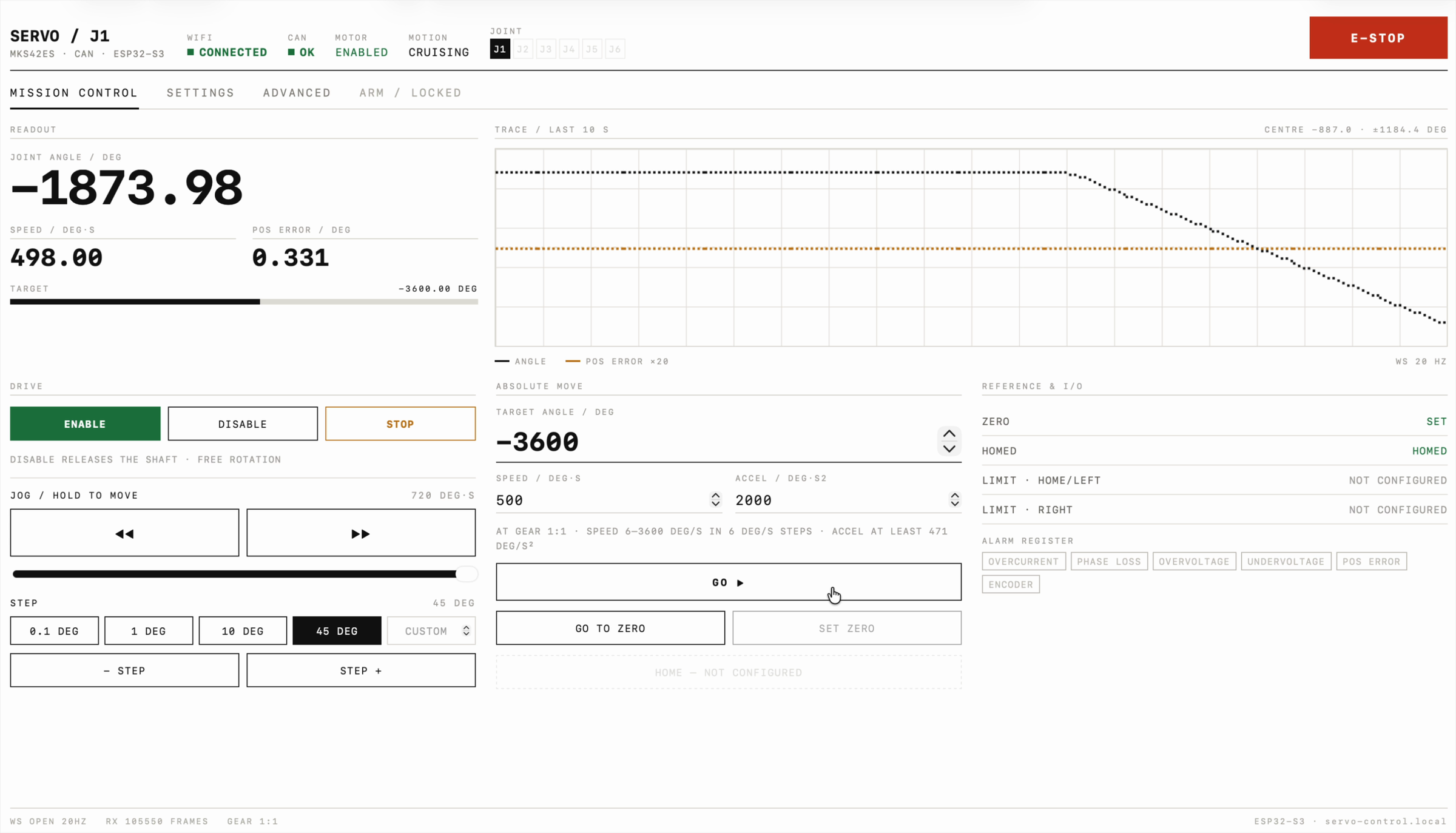
I want to build a six axis robotic arm, and every joint needs a motor I can position precisely and read back. I picked the MKS SERVO42ES: a NEMA17 stepper with a closed loop driver on the back, a magnetic encoder, FOC control and a CAN port, so all six joints can share one bus.…
-

If you have ever written a screenshot test, you know the shape of it. A test class, a JUnit rule, a device config, a theme, a call to snapshot(). Then you do the same again for the next screen, and the one after that. Meanwhile, a few lines above in the same file, there is a @Preview that…
-
In late 2025, Google released Jetpack Navigation 3, a major redesign of the Android Navigation library built specifically for Jetpack Compose and modern UI architectures. This is not a typical incremental update. Navigation 3 fundamentally changes how navigation state is modeled, owned, and rendered in an application. If you have been using the Navigation Component…
-

If you’re like me and you run Gradle builds dozens of times a day, slow builds are more than just annoying – they’re productivity killers. Even small inefficiencies add up over time. Thankfully, Gradle provides a whole toolbox of optimisations to make builds faster and smoother. Here’s a breakdown of how to tune Gradle for…
-

Remember the good ol’ days of SharedPreferences? They were kind of like that flip phone you had in high school: reliable for a while, but let’s be honest – today, they just feel outdated and a bit clunky. Enter DataStore, Android’s modern, coroutine-powered data storage solution that leaves those old problems in the dust. Let’s…
-

Securing your Android apps isn’t rocket science – but it might feel like you’re trying to lock up Fort Knox with a padlock made of spaghetti. In today’s post, we’re diving into three key areas to boost your app’s security: the Biometric API, Credential Manager, and Encrypted Data. We’ll also tackle common vulnerabilities like insecure…
-

When it comes to Android app security, think of it like guarding your secret stash of cookies – you wouldn’t leave them out in the open, right? In this article, we’ll chat about using Android’s Biometric API for Face ID and fingerprint authentication, how to leverage the Credential Manager for secure login data, and why…
-

Welcome to the brave new world of AI in Android, where your app isn’t just another pretty interface – it’s a super-smart sidekick! Imagine an app that can generate witty text, analyse images like a detective, and even chat back using GPT-4 without breaking a sweat (or the bank). Today, we’re diving into how you…
-

Cybersecurity isn’t just for the corporate giants – it’s something every Android developer needs to keep in mind. Sure, modern Android is pretty secure (as some Redditors might agree), but if we let our guard down, even the mightiest app can become an easy target for sneaky hackers. Let’s dive into a friendly chat on…
-

When you think of accessibility in Android, your mind might immediately jump to TalkBack – Android’s trusty screen reader that does all the talking for visually impaired users. But here’s the twist: designing for accessibility is not just about making sure TalkBack gets its time to shine. It’s about opening the doors for everyone –…